
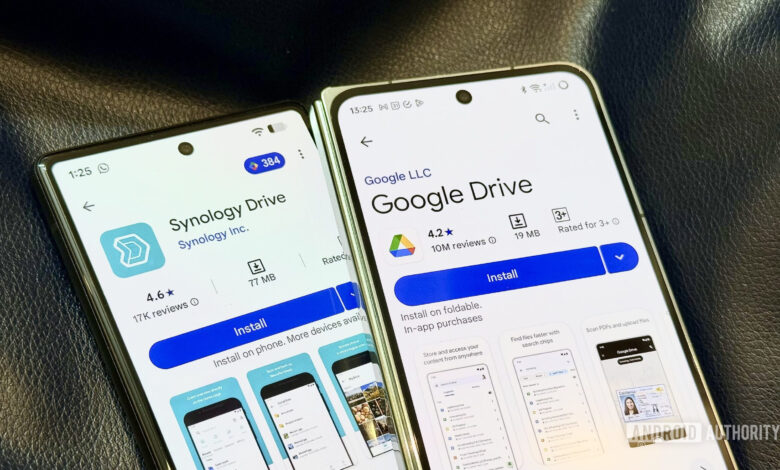
The author spent a month without his Synology NAS, relying on Google Drive and a portable SSD, and discovered that cloud storage can handle most workflows smoothly.
While the NAS still offers speed and offline reliability for backups and media serving, the convenience and uptime of Google Drive make a hybrid setup the preferred solution.
We often underestimate cloud storage
The biggest advantage of local network storage is speed and near round‑the‑clock uptime. Your server won’t go down even when the internet does, which is crucial for mission‑critical scenarios. But cloud storage often wins on convenience, and over time you gravitate towards that convenience.
That network effect alone makes Google Drive a more productive solution for day‑to‑day work.
Google Drive offers a polished interface and seamless sharing because most people already use it. It quietly handles the job in the background.
A NAS, on the other hand, requires you to be the IT manager—setting it up, maintaining it, and troubleshooting without a simple support ticket.
How is living without the NAS going?
Not a lot of my workflows were affected while I was away from home. I normally use my Synology NAS to sync files, maintain archives, and back up systems. During the trip, Google Drive and a portable SSD took over those roles without friction. Google Drive for Desktop backed up important folders and handled archival duties, while occasional Time Machine backups to the SSD replaced the automated NAS backups. It wasn’t as elegant, but it worked well enough that I didn’t miss the NAS.
If anything, the cloud felt more dependable. An issue with the NAS can bring the whole system down, whereas Google’s servers rarely fail, prompting me to rely on them even more.
I was already on the Google One AI Pro plan with 2 TB (now 5 TB), giving me plenty of room to upload older project files that I previously kept on the NAS. This let me switch Google Photos to Original quality and avoid maintaining parallel backup systems.
However, NAS apps for mobile remain niche, and Synology Photos has occasionally failed to back up months of media, something I assumed was happening in the background.
Google’s ecosystem has leaped forward with better design, tighter integrations, and a plethora of AI features to top it all off.
In everyday use, Google’s cloud stack feels more reliable than my Synology DS920+, not only because of uptime but also because the experience is designed to reduce friction.
It’s not like I don’t miss the NAS
Network storage devices are still more foundational than the software layer of cloud storage, so they can’t be replaced completely.
The NAS’s constant availability lets me automate tasks—weekly backups run without any manual intervention. With the SSD I have to remember to plug it in, and I realized I haven’t taken a backup in over a week.
It doesn’t happen often, but when my internet is down, I do wish I had the NAS with me.
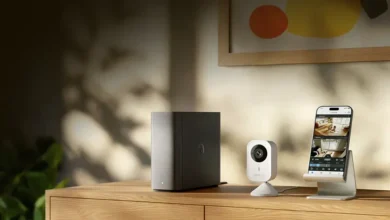
I also can’t host my media locally for Plex streaming without the NAS, and my home security cameras offload footage to it, which would be impractical to manage on portable drives.
Local storage’s biggest advantage is that it doesn’t depend on the internet; it can transfer tens of gigabytes per minute instantly.
Perhaps I didn’t create enough dependency
My early NAS usage was a wave of enthusiasm—trying to replace every cloud subscription. I soon realized I was bending my workflow to justify the NAS, often choosing it even when a cloud service was more convenient.
Eventually I let the workflow dictate the tool. If a cloud‑based app worked better, I used it—Google Keep for notes, for example, because it’s faster and accessible anywhere.
A hybrid system meant I wasn’t entirely dependent on a single setup, with workflows that could bypass the NAS or the cloud.
This hybrid approach frees me from constantly tinkering with infrastructure. If Google Drive fails, I have the NAS; if the NAS is unavailable, I fall back to the cloud.
Don’t want to miss the best from Android Authority?
So, the question is whether I’ll replace the NAS completely.
The answer is no. I’ll stick to the hybrid system that works for me. The balance will now shift slightly: I’ll lean more toward cloud storage for day‑to‑day tasks, while the NAS will remain as infrastructure for fundamental workloads like backups and camera footage. The NAS is getting a demotion in my setup, but it won’t affect my workflow.
Thank you for being part of our community. Read our Comment Policy before posting.