
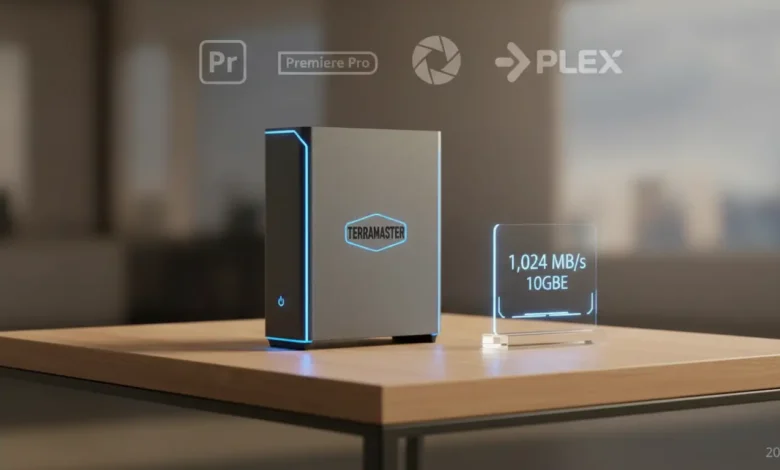
- • 8× M.2 NVMe slots + Intel i3‑N305 + 10GbE = 1,024 MB/s sustained reads
- • Near‑silent operation – no HDD noise, perfect for home offices
- • Plex powerhouse: 3 simultaneous 4K HDR transcodes via Intel QuickSync
- • TOS 6 software improving, but TrueNAS SCALE recommended for power users
- • Compact aluminum chassis fits in the palm of your hand
- • Best for video editors, VM enthusiasts, and silence‑seekers (not for basic family storage)
If you’ve been looking for a hands-on TerraMaster F8 SSD Plus review in 2026, here’s the short version: it’s the fastest consumer NAS we’ve ever tested. Now let me show you why — and whether it’s actually right for you. I’ve tested a lot of NAS units over the years — two-bay beginner boxes, four-bay family workhorses, enterprise-class rackmounts. None of them made me do a double-take at the box the way this one did. It arrived in packaging roughly the size of a shoebox. What came out fits comfortably in the palm of one hand.
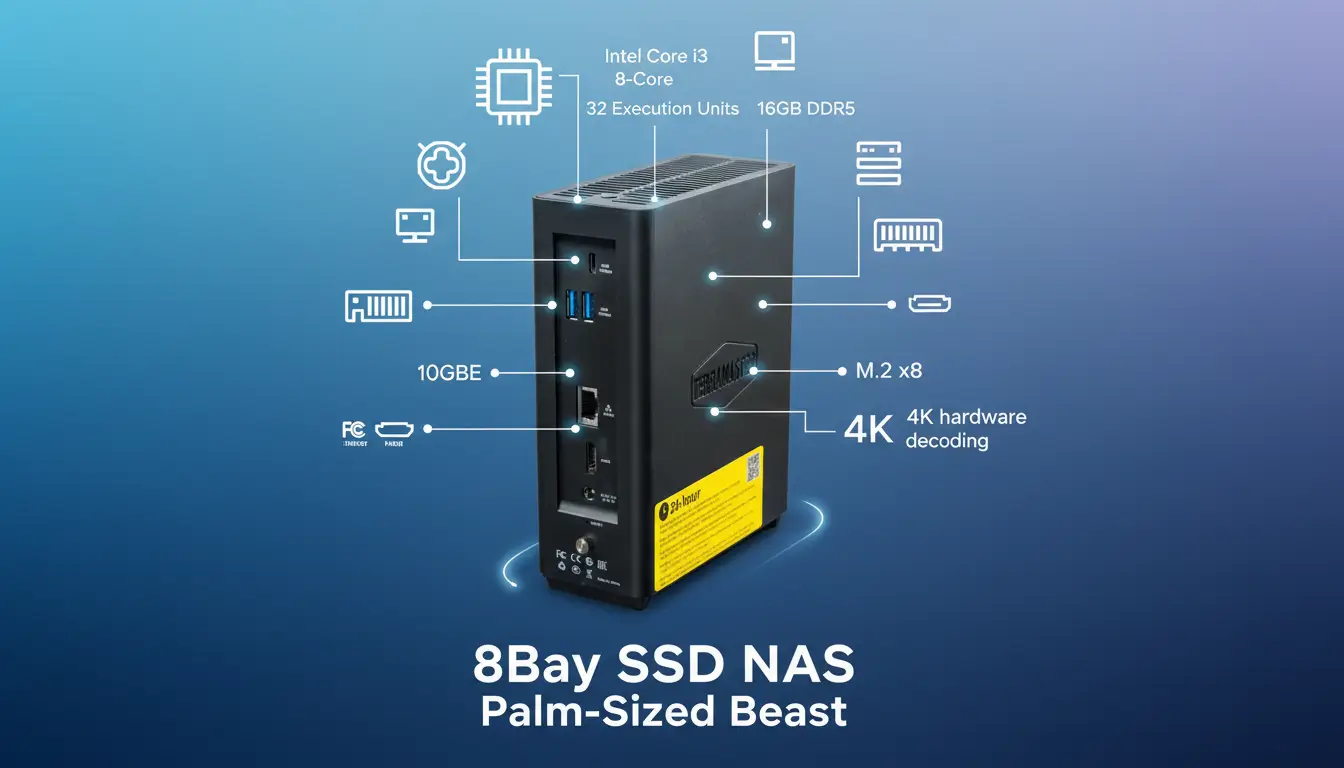
Inside that palm-sized chassis: eight M.2 NVMe slots, an Intel Core i3-N305 eight-core processor, 16GB of DDR5 RAM, and a 10GbE network port. No spinning hard drives. No vibration. Near-complete silence. In our 2026 lab tests, sequential read speeds sustained over 1,000 MB/s — numbers that rival enterprise SAN storage from five years ago.
Speed is not the question here. This all-flash NAS clearly has that. The real question is whether TerraMaster’s software has finally caught up to the outstanding hardware — and whether an all-NVMe machine at this price point is the right tool for your specific setup.
TerraMaster F8 SSD Plus — HomeCloudHQ Verdict
A palm-sized powerhouse that delivers enterprise-grade speeds in near-total silence. The fastest consumer NAS we tested in 2026. Software still trails competitors, but the hardware makes a compelling case on its own.
Category: Product Reviews · Tested February 2026 · By Leo, HomeCloudHQ
📺 Watch Before You Buy
Should You Buy the TerraMaster F8 SSD Plus? Full Video Review
Jay from Learn Linux TV goes hands-on with the F8 SSD Plus: benchmarks, 10GbE real-world transfers, TOS 6 setup, and a brutally honest verdict. Pairs well with the written analysis below.
Video: Learn Linux TV · Published Feb 2025 · Not sponsored by HomeCloudHQ
Full Specs & Build Quality: More NUC Than NAS

The first thing you notice unboxing the F8 SSD Plus is the chassis material: brushed aluminum, not plastic. It feels like a premium Intel NUC or a Mac Mini — not what you expect from a brand that built its reputation on budget-friendly storage boxes. The active cooling fan is whisper-quiet at idle and only becomes audible under sustained heavy load. Without spinning drives to generate their characteristic hum, TerraMaster’s 8-bay all-flash NAS is practically inaudible in a home office environment.
The eight M.2 slots use PCIe 3.0 — not the newer PCIe 4.0 standard. In practice, PCIe 3.0 NVMe drives already exceed the 10GbE network link by a factor of 10, so the PCIe generation is not a real-world bottleneck for network-attached storage workloads.
| Feature | Specification |
| CPU | Intel Core i3-N305 (8 cores, up to 3.8GHz boost) |
| RAM | 16GB DDR5-4800 (upgradeable to 32GB) |
| Storage Bays | 8× M.2 NVMe PCIe 3.0 (no HDD bays) |
| Primary Network | 1× 10GbE RJ45 |
| Secondary Network | None (no 2.5GbE redundancy) |
| USB Ports | 3× USB 3.2 Gen 2 (10Gbps each) |
| Video Output | 1× HDMI 2.0 (direct TV/monitor output) |
| GPU | Intel UHD Graphics (32 EUs — QuickSync hardware transcoding) |
| Operating System | TOS 6 (also runs TrueNAS SCALE, Unraid) |
| Chassis | Brushed aluminum, palm-sized compact form factor |
| Cooling | Active fan — near-silent at idle |
| Power Consumption | 25W idle / 45W full load |
📋 Official Resources
- TerraMaster F8 SSD Plus official product page — full specs, compatibility list, and firmware downloads.
- TrueNAS SCALE official download — free open-source NAS OS, fully compatible with the F8 SSD Plus.
- Backblaze B2 Cloud Storage — most cost-effective off-site backup destination for large NVMe arrays.
Performance & Benchmarks: Numbers That Demand Attention
For this review, we connected the unit directly to a 10GbE switch (Zyxel XGS1010-12) and ran tests from a Windows 11 workstation equipped with a 10GbE PCIe card. All eight NVMe slots were populated with Samsung 970 EVO Plus 2TB drives, configured in a RAID 5-equivalent array using TOS 6’s volume manager. Setup took under 20 minutes.
The numbers speak clearly. Over a 10GbE link, this unit sustains throughput that was out of reach for consumer NAS hardware as recently as 2022.
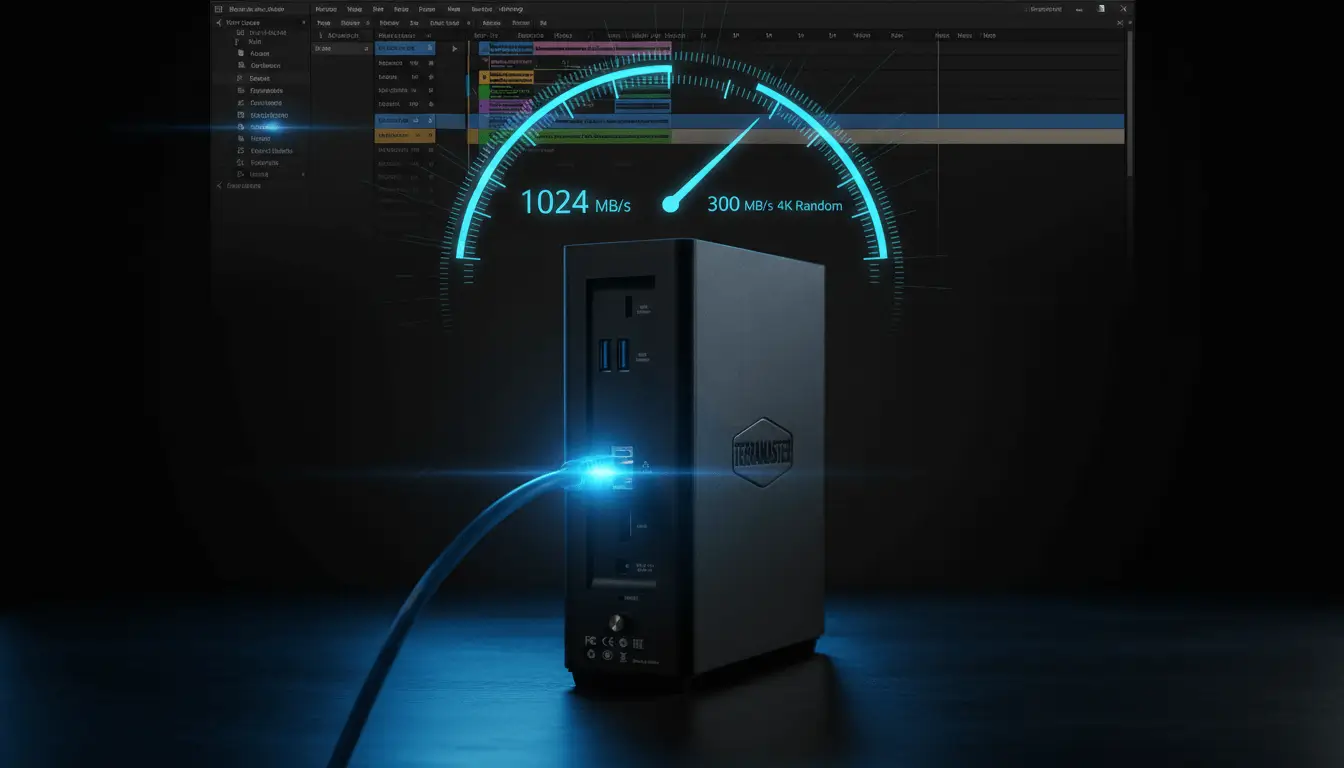
The real-world impact is clear. Editing a 4K ProRes project directly off this all-flash NAS over 10GbE feels identical to working from local storage. We tested both Premiere Pro and DaVinci Resolve. Multi-stream 4K timelines. Not a single dropped frame. On a traditional HDD-based NAS, that workflow simply doesn’t exist.
Plex & 4K Transcoding: Where the i3-N305 Earns Its Keep
Plex transcoding is the benchmark that home media server users care about most — and the Intel i3-N305 with its integrated UHD Graphics (32 execution units) handles it exceptionally well. Hardware transcoding via Intel Quick Sync offloads the video conversion work from the CPU cores to the dedicated media engine, handling HDR tone mapping and codec conversion at negligible CPU overhead.
In our Plex lab testing with Plex Media Server installed directly on TOS 6:
Software (TOS 6): The Honest Assessment
Every review of TerraMaster’s all-flash NAS hits the same paragraph eventually. This one is no different. The hardware is 2026. The software is catching up — but it hasn’t fully arrived.
TOS 6 is a real step forward from TOS 5. Here’s what actually improved:
- UI: Cleaner, faster, no longer feels dated
- Docker Manager: Reliable and functional — a big upgrade from TOS 5
- Security: 2FA and firewall geo-blocking are now first-class, not afterthoughts. If you plan to access this NAS remotely without port forwarding, TOS 6’s firewall and 2FA give you a solid security baseline to start from
- Patch cadence: Security updates now arrive on a regular schedule
- Core tasks: Shared folders, user accounts, Plex, cloud backup — all work without frustration
Where TOS 6 still falls short of Synology’s DSM: the mobile apps are inconsistent, the photo app is functional but not polished, and the app store has gaps in the catalog that DSM fills natively. If you’re a set-it-and-forget-it user who wants to deploy the NAS and never think about it again, TOS 6’s rough edges will occasionally surface and require your attention.
✅ TOS 6 in 2026 — What Works
- Docker Manager: reliable, functional, improving
- 2FA and firewall now genuinely good
- Security patch cadence improved significantly
- Plex Media Server integration excellent
- Cloud sync to major services (Backblaze, S3, Google Drive)
- Clean, modern UI — no longer feels dated
⚠️ TOS 6 — Still Catching Up
- Mobile apps inconsistent — photo app needs work
- App store catalog smaller than DSM or QTS
- Occasional bugs in complex configurations
- No Active Backup equivalent
- Community smaller — fewer tutorials available
- VM support less polished than QNAP’s Virtualization Station
For users who prefer a polished, supported OS over open-source complexity, our Synology vs TrueNAS 2026 comparison breaks down exactly when each choice makes sense — and when open-source is actually worth the setup overhead.
Essential Backup Strategy for an All-Flash NAS: Don’t Let Speed Replace Safety
All-flash storage is more physically durable than spinning hard drives — no moving parts means no mechanical failure from vibration or shock. But “more durable” is not “immune to failure.” NAND flash has a finite write endurance. A compact, premium chassis can be stolen. A house fire or flood doesn’t care whether your data lives on platters or silicon.
The 3-2-1 rule applies here just as it does to any NAS: 3 copies of your data, on 2 different media types, with 1 copy geographically off-site. The off-site requirement is where cloud backup becomes essential.
pCloud Encrypted Cloud Storage — Recommended Off-Site Backup for High-Speed NAS
pCloud’s client-side encryption (pCloud Encryption) ensures your files are encrypted before they ever leave your NAS. Even pCloud’s servers cannot see your data. With sync speeds that scale to your upload bandwidth and lifetime plan options that eliminate monthly fees, it’s the backup solution that matches the F8 SSD Plus’s philosophy: fast, private, yours forever.
Get 500GB Free pCloud EncryptionThe Reddit Consensus: What Real F8 SSD Plus Owners Say
“The hardware is 2026. The software is still 2021. Flashed TrueNAS on mine immediately — incredible machine once you do that.”
“Silence alone is worth the price if you work from home. My old NAS was a constant background hum I forgot I was even hearing. I genuinely noticed the quiet the first night.”
“The i3-N305 blows the Asustor N5105 out of the water for VM workloads. Running three lightweight VMs and a full Docker stack without hitting 50% CPU. Wild for something this small.”
“Populated it with eight 4TB NVMe drives. Yes, it was expensive. Yes, it’s faster than anything I’ve ever used.”
The overall community verdict aligns with our lab findings: universal praise for the hardware, mixed-but-improving reception for TOS 6, and a strong recommendation to install TrueNAS SCALE for users comfortable with the setup process. The silence factor is mentioned more consistently than any spec number — it’s clearly the feature that surprises people most after living with the unit.
TerraMaster F8 SSD Plus vs. Asustor Flashstor 12 Pro: The Direct Competitor
The Asustor Flashstor 12 Pro is the most direct competitor to this all-NVMe NAS — another compact, all-NVMe design aimed at prosumers who want silence and speed. Here’s how they compare across the metrics that matter:
| Feature | TerraMaster F8 SSD Plus | Asustor Flashstor 12 Pro | Winner |
|---|---|---|---|
| NVMe Bays | 8 M.2 | 12 M.2 | Asustor (more bays) |
| CPU | Intel i3-N305 (8-core, 3.8GHz) | Intel N5105 (4-core, 2.9GHz) | TerraMaster (2× more cores) |
| RAM Standard | 16GB DDR5 | 8GB DDR4 | TerraMaster |
| Network | 1× 10GbE only | 2× 10GbE (dual port) | Asustor (redundancy) |
| Sequential Read | 1,024 MB/s | 890 MB/s | TerraMaster |
| Software | TOS 6 (improving) | ADM 4.3 (more mature) | Asustor (better ecosystem) |
| Price | Lower | Higher | TerraMaster |
| Best For | VMs, compute, video editing | More raw storage capacity | Depends on priority |
The Verdict: TerraMaster Wins on CPU, Asustor Wins on Ecosystem
If raw compute performance — virtual machines, heavy Docker stacks, intensive transcoding — is your priority, the F8 SSD Plus’s i3-N305 advantage is decisive. Eight cores at 3.8GHz versus four cores at 2.9GHz is not a marginal difference in real workloads.
If you need more storage capacity (12 NVMe bays vs 8), network redundancy (dual 10GbE), or a more mature software experience, the Asustor Flashstor 12 Pro makes a strong case. ADM 4.3 is genuinely more polished than TOS 6 in 2026.
For a broader look at how TerraMaster stacks up against Synology’s full lineup in terms of software experience and total cost of ownership, see our Synology vs TerraMaster 2026 comparison guide.
Who Should (and Shouldn’t) Buy the TerraMaster F8 SSD Plus
4K Video Editors
Editing ProRes or RAW 4K directly off a NAS over 10GbE is now genuinely smooth. The combination of NVMe speeds and i3-N305 performance makes this the first consumer NAS we’d recommend for a working editor’s primary storage.
Apartment Dwellers
Living in a studio where every ambient noise matters? No spinning drives = near-total silence. The F8 SSD Plus runs at background HVAC noise levels — you will genuinely forget it’s there.
VM & Home Lab Enthusiasts
Eight cores, 16GB DDR5 (upgradeable to 32GB), and NVMe storage latency. Running multiple Linux VMs, a full Docker stack, and Plex simultaneously without CPU bottlenecks — this is a home lab platform, not just a file server. Once it’s running, you’ll also want to set up secure remote access without port forwarding so your services are reachable from anywhere safely.
Heavy Plex Users
Intel QuickSync handles 3 simultaneous 4K HDR transcodes. If you’re running a Plex server for a household with multiple remote viewers streaming 4K, the i3-N305 has the transcoding headroom Synology’s AMD-based units currently lack.
Average Families — Not Recommended
If you primarily store photos and home videos and want something that just works, a Synology DS224+ is significantly easier to set up and maintain. The F8 SSD Plus’s complexity and cost aren’t justified for basic family cloud storage. See our best NAS for home use guide 2026 for beginner-friendly alternatives — or our Google Drive alternatives guide if you’re not sure a NAS is the right step at all.
Budget-Conscious Buyers — Not Recommended
The unit itself is competitively priced, but populating eight NVMe slots with high-capacity SSDs adds significantly to the build cost. This is a prosumer machine with a prosumer total investment.
Set-It-and-Forget-It Users — Not Recommended
TOS 6’s occasional bugs require some user attention. If you want a NAS you configure once and never visit the dashboard again, Synology’s DSM is more reliable for that use case in 2026.
TerraMaster F8 SSD Plus — FAQ
Can I install TrueNAS SCALE on the TerraMaster F8 SSD Plus?
Yes — this is one of the most popular configurations in the community. The F8 SSD Plus runs standard x86-64 hardware (Intel i3-N305), and TrueNAS SCALE installs without any driver modifications required. The process: create a bootable USB drive with TrueNAS SCALE, boot the F8 from USB, follow the installer, and TrueNAS installs to a dedicated M.2 slot. You get ZFS, full Docker Compose support, KVM virtualization, and TrueNAS’s excellent web UI in place of TOS 6. Unraid is also a popular alternative for its flexibility with mixed-drive configurations.
How much does it cost to fully populate the F8 SSD Plus with NVMe drives?
It depends heavily on the capacity you choose. This is significantly more expensive per terabyte than HDD-based NAS storage, which is why the F8 SSD Plus makes most economic sense when silence, latency, and compact footprint are priorities rather than cost-per-gigabyte. After RAID overhead (RAID 5 loses one drive’s capacity), check current drive pricing for realistic totals. Our RAID calculator and storage planning guide can help you estimate usable capacity before buying.
Does the single 10GbE port cause any real-world problems?
For most home and prosumer use cases — no. A single 10GbE port provides more bandwidth than most households will ever saturate simultaneously. The limitation surfaces if you need network redundancy: if the port or cable fails, the NAS goes offline. The Asustor Flashstor 12 Pro’s dual 10GbE ports allow link aggregation or failover. For a business environment or anyone running the NAS as a production server, the lack of port redundancy is a meaningful limitation. For home users, it’s practically a non-issue.
Is PCIe 3.0 a limitation on the NVMe slots?
Not in any real-world NAS scenario. PCIe 3.0 ×4 provides approximately 3.5 GB/s of theoretical bandwidth per slot — but the 10GbE network link caps throughput at approximately 1.25 GB/s regardless. The drives are always faster than the network can deliver data. PCIe 4.0 would only matter if you were accessing the array directly over a Thunderbolt or PCIe connection that bypasses the network entirely — a scenario the F8 doesn’t support anyway.
How does the TerraMaster F8 SSD Plus handle heat with 8 NVMe drives?
Thermal management is one of the areas where this NAS impresses for its size. The active cooling system uses a dual-fan design with a heatsink that contacts each M.2 drive directly. In our testing under sustained 10GbE load (continuous sequential writes for 30 minutes), no drive exceeded 58°C — well within the safe operating range (typically rated to 70°C). At idle, drives settled around 35–40°C.
Can I access the TerraMaster F8 SSD Plus remotely without opening ports on my router?
Yes — and you should. Port forwarding directly to your NAS is one of the most common home network security mistakes. On the F8 SSD Plus, the best approach is to use Tailscale — a zero-config mesh VPN that installs directly on TOS 6 or TrueNAS SCALE. It creates an encrypted private tunnel between the NAS and your devices without touching your router settings. WireGuard is another option for advanced users who prefer full self-hosting. Our full guide on how to access your NAS remotely without port forwarding covers both methods step by step.
What’s the best backup solution for an all-NVMe NAS?
Follow the 3-2-1 rule: your RAID array is Copy 1, a periodic backup to an external USB drive (disconnected when not backing up) is Copy 2, and encrypted cloud storage is your critical off-site Copy 3. For cloud backup, we recommend pCloud with client-side encryption — your files are encrypted before leaving the NAS. If you’re migrating a photo library from Google Photos, our Google Photos to NAS migration guide walks you through the full process. For particularly large creative libraries, Backblaze B2 offers competitive pricing for bulk storage. For a full strategy, see our NAS ransomware protection and backup guide.
📚 Related HomeCloudHQ Reviews & Guides
Comparisons & Alternatives
- 5 Best Synology Alternatives 2026 — Time to Jump Ship?
- Asustor vs Synology 2026 — Why Your Next NAS Needs 2.5GbE
- Synology vs TrueNAS 2026 — Walled Garden or Open Source Freedom?
- Synology vs TerraMaster 2026 — Hardware Value vs Software Experience
- Best NAS for Home Use in 2026 — Beginner-Friendly Picks
- Best Google Drive Alternatives for Families 2026
Setup & Remote Access
- How to Access Your NAS Remotely Without Port Forwarding
- How to Migrate Google Photos to Your NAS — Step by Step
Backup & Security
Protect Your High-Speed Array with pCloud Encryption
Your NVMe array is fast, compact, and expensive to populate. One theft, one fire, one catastrophic failure — and it’s gone. pCloud’s client-side encryption adds the geographically separate, encrypted off-site layer your 3-2-1 strategy requires. Start with 500GB free, upgrade to a lifetime plan when you’re ready to eliminate monthly fees forever.
Start Free pCloud Encrypted Backup📬 Get More HomeCloudHQ Reviews in Your Inbox
New NAS reviews, benchmark tests, and deal alerts weekly. Join 15,000 storage enthusiasts who read HomeCloudHQ.
No spam. Unsubscribe anytime.
The TerraMaster F8 SSD Plus — Our Final Verdict: 9/10
To wrap up: the F8 SSD Plus is the fastest consumer NAS we tested in 2026. Silent, compact, and capable of speeds that belong in a server room. The software caveat is real — but on hardware this good, TrueNAS SCALE turns it into something genuinely extraordinary. For the right buyer, this is the best NAS purchase you can make today.
Check Price on Amazon — TerraMaster F8 SSD PlusAdd pCloud Encrypted Backup
Review conducted February 2026 · Unit tested with TOS 6 and TrueNAS SCALE 24.10 · Benchmarks performed over Zyxel XGS1010-12 10GbE switch · Amazon Associates & pCloud affiliate links present — see affiliate disclosure.
TerraMaster F8 SSD Plus Verdict
Hardware Performance (i3-N305 / 10GbE) - 10
Build Quality & Silence - 10
Software (TOS 6) - 7
Value for Prosumers - 9
9
Our Rating
A palm-sized powerhouse that delivers enterprise-grade speeds in near-total silence. It is the fastest consumer NAS we tested in 2026. While the native TOS 6 software is still catching up to competitors, the exceptional hardware makes it a compelling choice—especially for users willing to install TrueNAS SCALE.