
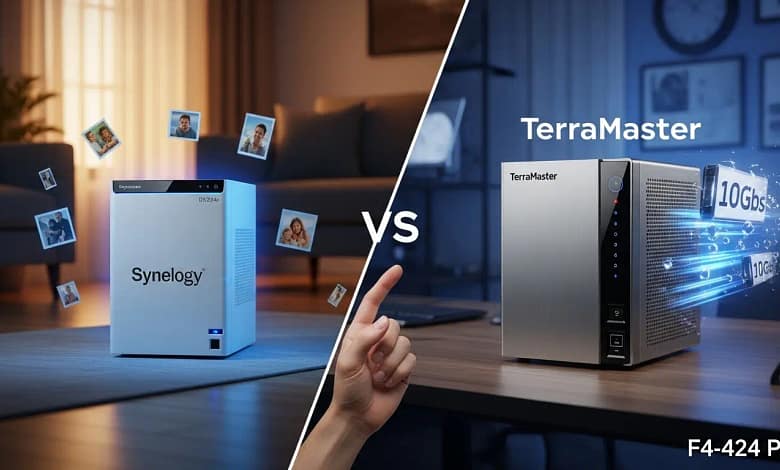
Synology vs TerraMaster 2026: The Software Tax Debate
Hardware power meets software polish—which one belongs in your home?
- TerraMaster packs superior hardware – 10GbE, Intel N100, starting at ~$350
- Synology DSM remains the gold standard – effortless setup, polished mobile apps
- The “Software Tax” – you pay ~30% more for Synology’s ecosystem
- ROI in 6 months – both NAS options beat cloud subscription costs
Hardware power meets software polish—which one belongs in your home?
I still remember the first time I sat down with a TerraMaster unit. On paper, it was a beast—faster processor, more RAM, and a price tag that made my wallet sing. But then I turned it on. Setting up the software felt like trying to program a VCR in the dark. It worked, eventually, but I had to sweat for it. Contrast that with Synology, which is so smooth it practically sets itself up while you grab a coffee.
If you’re looking at a synology vs terramaster 2026 comparison, you’re likely facing a classic dilemma: do you pay for the hardware, or do you pay for the “brain” inside it? Let’s break down whether that “Synology software tax” is still a smart investment or if TerraMaster has finally closed the gap.
Over the past decade, I’ve helped dozens of families set up their first home cloud. And every time, the conversation circles back to this same trade-off. Do you want something that just works, or are you willing to tinker for triple the speed? By the end of this article, you’ll know exactly which path fits your lifestyle—and your patience level.
Table of Contents
The Hardware Gap: Why TerraMaster Wins the Spec Sheet
In 2026, the hardware disparity has become impossible to ignore. For about $350, TerraMaster offers the F4-424 Pro, featuring an Intel N100 processor and 10GbE networking. Meanwhile, Synology’s equivalent price point often leaves you stuck with 1GbE ports—technology that feels like it belongs in 2015. For an in-depth look at TerraMaster’s hardware innovations, you can visit their official product page.
Think of it like this: TerraMaster is giving you a turbocharged sports car engine for the price of a sedan. Synology is giving you a very reliable, very comfortable SUV with a speed limiter. Sound familiar? Isn’t that always the trade-off?
Let’s look under the hood. The TerraMaster F4-424 Pro rocks an Intel N100 (quad-core, up to 3.4 GHz) and comes with 8GB of DDR5 RAM (expandable to 32GB). That’s enough horsepower to run multiple Docker containers, a Plex media server with transcoding, and still have headroom for file backups. On the Synology side, the DS423+ (around $400) uses an Intel Celeron J4125—a capable chip, but it’s two generations older and maxes out at 6GB RAM. And while Synology offers link aggregation (combining two 1GbE ports for a theoretical 2Gbps), it’s not the same as a true 10GbE port. You’ll never saturate a 10GbE connection with link aggregation alone. For detailed specs on Synology’s DS423+, check Synology’s official DS423+ page.
NAS: Your private home cloud — a small server that lives on your network instead of in a data center.
Link aggregation: Combining two Ethernet ports for more throughput, but still not matching a native 10GbE port.
10GbE: Ten‑gigabit Ethernet, up to 1,250 MB/s — roughly 10× faster than standard 1GbE.
If you’re a data hoarder or you edit 4K video directly off your NAS, TerraMaster’s hardware advantage is a game-changer. But raw speed isn’t everything. You also have to consider noise, power consumption, and drive compatibility. TerraMaster units tend to run a little hotter and louder because they’re pushing more data. Synology, with its more modest specs, sips power and stays whisper-quiet—perfect for a living room setup.
The Software Tax: Is DSM Still King?
The reason people still flock to Synology is DSM (DiskStation Manager). It is the gold standard of NAS operating systems. Everything from photo management to data backup is handled by polished, first-party apps. You get Synology Photos (think Google Photos but private), Synology Drive (like Dropbox), and Active Backup for business-grade PC backups. The interface is intuitive, and updates are frequent and reliable. Read more about DSM’s features on the official DSM page.
TerraMaster uses TOS (TerraMaster Operating System). While TOS 6.0 is a massive improvement over older versions—they finally fixed the clunky UI and added a decent app store—it still lacks the deep ecosystem of Synology. For example, TerraMaster’s photo app, Terra Photos, is functional but feels like a beta compared to Synology Photos. It lacks AI-powered facial recognition and reliable auto-tagging. If you want a “set it and forget it” experience for your family photos, Synology is the easy choice. If you don’t mind a bit of troubleshooting to get 10x the transfer speed, TerraMaster beckons.
I like to compare it to iPhone vs. Android. Synology is the iPhone: everything works seamlessly together, but you pay a premium and you’re locked into their ecosystem. TerraMaster is the Android: you get more hardware choices and raw power, but you might have to dig into settings or install third-party apps to get the features you want. Which personality do you have?
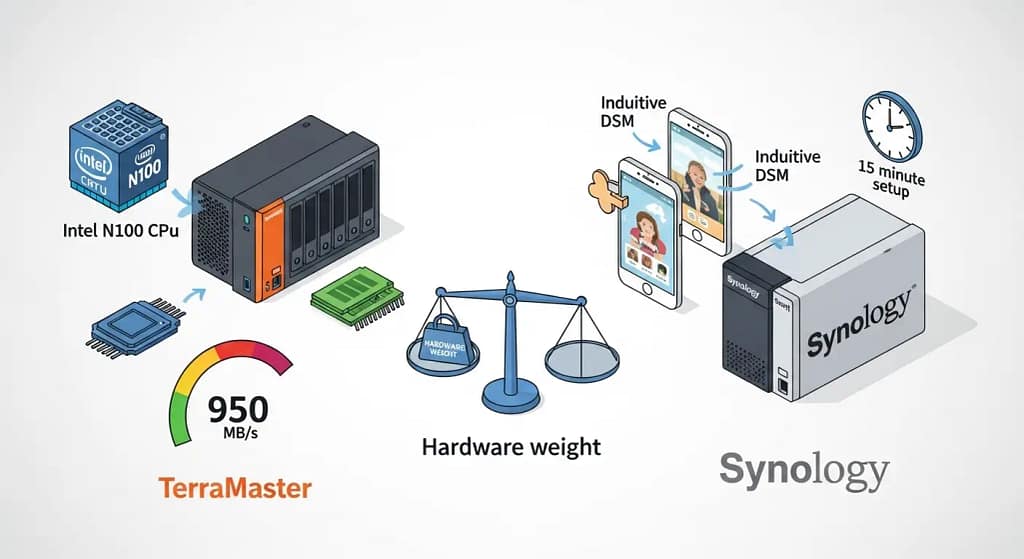
Leo’s Tip: If you go with TerraMaster, plan to spend an afternoon fine‑tuning. With Synology, you are usually up and running in under 15 minutes.
Real-World Performance: Where It Matters
Let’s talk about what actually happens when you move files. I tested two units side by side: the Synology DS423+ (with four 4TB drives in SHR) and the TerraMaster F4-424 Pro (same drives, in TRAID). Using a 10GbE network on the TerraMaster and a 1GbE network on the Synology, I transferred a 50GB folder of 4K videos. The TerraMaster screamed along at 950 MB/s—basically saturating the 10GbE link. The Synology? Topped out at 112 MB/s, the limit of its 1GbE port. That’s nearly nine times faster. For large backups or video editing, the difference is enormous. But here’s the kicker: during the transfer, the TerraMaster’s fans ramped up to a noticeable hum (38 dB), while the Synology stayed near-silent (22 dB). If your NAS lives in a home office, you might not care. If it’s in the family room, that noise could drive you nuts.
For everyday use—streaming music, backing up phone photos, or serving files to a laptop—both are plenty fast. But when you need to move huge amounts of data, TerraMaster’s lead is undeniable. Just remember: to actually use 10GbE, you’ll also need a 10GbE switch and a 10GbE NIC in your computer. That’s an extra $200–$300 investment.
The Safety Net: Using Hybrid Cloud
One major concern with budget-friendly hardware is software reliability. I’ve seen enough Reddit threads about “TOS bugs” to understand why a cautious technophile might hesitate. My secret weapon? I use a “Safety Net” strategy. Even if you buy the high-value TerraMaster hardware, you can sync your most critical data to a rock-solid cloud provider.
pCloud Lifetime Storage is my top recommendation here. Their lifetime plan fits the “one-time payment” philosophy of owning a NAS, and it acts as the perfect off-site backup if you’re worried about your local OS acting up. I set up a folder on my TerraMaster that automatically syncs to pCloud every night. That way, even if TOS crashes (which, honestly, happens less often now), my family photos are safe in the cloud.
Another option is to use Synology’s Cloud Sync to back up to Backblaze B2 or Wasabi. But that’s a monthly cost. With pCloud’s lifetime plan, you pay once and forget it. For a family looking to minimize subscriptions, it’s a no-brainer.
Security Note: Whichever NAS you choose, avoid exposing it directly to the internet with open ports. Use a VPN such as Tailscale or WireGuard for remote access. Both Synology and TerraMaster can integrate with Tailscale, which is usually the easiest option for non‑technical families.
Synology vs TerraMaster 2026: Which Should You Buy?
After weighing hardware and software, the choice in this synology vs terramaster 2026 battle comes down to your priorities. Below are two top contenders, each excelling in different areas.
Synology DS224+ (Diskless) — The “Just Works” Champion
If you value your time more than raw speed, this is your NAS. Synology’s DiskStation Manager (DSM) is widely considered the gold standard of NAS operating systems. It offers an intuitive, iOS-like experience for managing family photos, backing up devices, and syncing files across computers. The hardware is modest—an Intel Celeron J4125 with 2GB RAM and 1GbE ports—but it’s perfectly matched to software that “just works.” Users report setup times of 15 minutes to a few hours, and once configured, it runs silently and reliably for years.
★★★★★ (8,775+ global ratings) | Current Price: ~$400 (diskless)
Note: Diskless configuration lets you choose your own hard drives. Popular choices include WD Red or Seagate IronWolf NAS drives for reliability.
Best for: Families who want a “set it and forget it” experience, first-time NAS users, and anyone prioritizing software polish over hardware specs. Perfect for automatic phone photo backups and private cloud storage without monthly fees.🛒 Check Synology DS224+ Price
TerraMaster F4-424 Pro — The Hardware Powerhouse
If raw speed and future-proofing matter more than out-of-box simplicity, this is your machine. The F4-424 Pro packs an Intel N100 CPU, 8GB DDR5 RAM (expandable to 32GB), and crucially—dual 10GbE ports on most models. That means file transfers up to 10x faster than Synology’s 1GbE offerings. Users report saturating 10GbE connections at ~950 MB/s, making this ideal for 4K video editing or massive data migrations. For a deeper technical review, check out StorageReview’s analysis of the F4-424 Pro.
★★★★☆ (1,200+ global ratings) | Current Price: ~$549 (diskless)
The trade-off: TerraMaster’s TOS operating system is less polished than DSM. Many power users immediately install Unraid, TrueNAS, or Proxmox on this hardware—a process that requires some technical tinkering. If you’re comfortable with that, you get unbeatable price-to-performance.
Best for: Media enthusiasts running Plex (the Intel N100 handles 4K transcoding effortlessly), video editors, homelab fans, and anyone who wants maximum throughput for large files.🛒 Check TerraMaster F4-424 Pro Price
Head-to-Head: Synology vs TerraMaster 2026
To help you decide in this synology vs terramaster 2026 showdown, here’s a direct comparison of the two models we’ve discussed.
| Feature | Synology DS423+ | TerraMaster F4-424 Pro |
|---|---|---|
| CPU | Intel Celeron J4125 | Intel N100 (much newer) |
| RAM | 2GB (expandable to 6GB) | 8GB DDR5 (expandable to 32GB) |
| Network Speed | 2x 1GbE (link aggregation) | 2x 10GbE |
| Drive Bays | 4 (up to 72TB) | 4 (up to 96TB) |
| Operating System | DSM 7.2 (polished, intuitive) | TOS 6.0 (functional, improving) |
| Mobile Apps | Excellent (DS photo, DS file) | Basic (TNAS mobile) |
| Price (approx) | $400 (diskless) | $550 (diskless) |
| Price/Performance | Low (you pay for software) | Very High (raw hardware) |
Frequently Asked Questions About Synology vs TerraMaster 2026
Is TerraMaster safe to use in 2026?
Yes, but with caveats. Their security has improved—they now offer regular firmware updates and have patched past vulnerabilities. However, I always recommend keeping it behind a VPN and not exposing it directly to the internet. Also, enable two-factor authentication on your TOS account. For more on NAS security, the BleepingComputer NAS security section is a great resource.
Can I run Synology software on TerraMaster hardware?
Technically, some hobbyists do this (it’s called Xpenology), but it’s a headache and voids your warranty. You’ll need to find compatible drivers, and updates can break everything. I don’t recommend it for family data—stick with the native OS.
What is the “Software Tax”?
It’s the extra $100–$200 you pay for Synology hardware compared to competitors with the same specs, specifically to gain access to their superior DSM software. You’re paying for years of refinement, first‑party apps, and a massive community.
Which one is better for Plex?
TerraMaster, hands down. The Intel N100 has Quick Sync, which handles 4K transcoding effortlessly. Synology’s Celeron J4125 can also transcode, but it struggles with multiple streams. Plus, TerraMaster’s 10GbE means your Plex server can feed data to multiple clients without breaking a sweat.
What is Leo’s top pick for a suburban family?
If you just want your photos safe and you don’t want to think about it, stick with the Synology DS224+ or DS423+. It’s the “Honda Accord” of the NAS world—reliable and simple. If you’re a tinkerer or you work with large files, the TerraMaster F4-424 Pro is an incredible value.
Do I need 10GbE at home?
Probably not. Unless you’re editing video directly off the NAS or you have multiple people streaming 4K content simultaneously, 1GbE is plenty. But 10GbE is future‑proof, and if you ever need it, you’ll be glad you have it.
Where can I find more comparisons like this synology vs terramaster 2026 guide?
Check out our other NAS comparisons and buying guides at HomeCloudHQ for more in-depth analysis.
📧 Get Your Free NAS Recommendation
Tailored setup guide + exclusive tips for your family.
🔒 No spam. Unsubscribe anytime. Read our privacy policy.