
Best Password Manager for Families in 2026: Tested & Ranked
We tested NordPass, 1Password, Bitwarden, and Apple Passwords to find the best family password manager for security, sharing, and ease of use.
Last Updated: March 2026 · HomeCloudHQ
⚡ TL;DR — Best Password Manager for Families in 2026
- Our top pick for the best password manager for family use is NordPass — best balance of security, family sharing, and ease of use in 2026, starting at $2.79/month for the whole family.
- We compared 4 password managers on sharing features, encryption, price, and real-world family usability.
- Key metric: NordPass uses XChaCha20 encryption (stronger than the AES-256 industry standard) and passed an independent security audit by Cure53.
- Best for parents who want one password system the whole family will actually use — without an IT degree.
Sarah from Portland thought she was doing everything right. She had a strong password for the family Netflix account — one password, used everywhere. Her husband knew it. Her 14-year-old knew it. Their college-age daughter knew it. Then one Tuesday morning, their bank account showed a $340 charge from a gaming site in Eastern Europe.
The culprit wasn’t a sophisticated hack. A data breach at a shopping site had leaked that one shared password, and someone had tried it everywhere. One password reused across six accounts had cost her family a real-world afternoon on hold with the bank and three weeks of anxious account monitoring.
Finding the best password manager for family accounts is the simplest way to prevent exactly this — and in 2026, there’s no reason not to have one. We tested four options to find the best password manager for family use. Here’s our honest ranking.
HomeCloudHQ earns a small commission if you sign up through our links, at no extra cost to you.
🔑 Already convinced? Skip straight to our top pick and start your free trial today.
Try NordPass Free →No credit card required to start.
Why Families Need a Password Manager in 2026
The best password manager for family security solves a problem most households don’t even realize they have. The average American adult manages over 100 online accounts. Multiply that across a household of four, and you’re looking at hundreds of login credentials — email, school portals, streaming, banking, medical records, and more. The human brain simply wasn’t built for that.
The pattern that gets families into trouble every single time is this: one person creates a “good enough” password, shares it verbally or in a text message, and it ends up reused across six different services. When one of those services gets breached — and in 2026, data breaches happen weekly — every account using that password is at risk. You can check if your family’s email addresses have already appeared in a known breach at Have I Been Pwned — the results are usually eye-opening.
A family password manager solves three things at once: it generates strong, unique passwords automatically; it stores them securely so no one needs to remember them; and it lets you share specific credentials with family members without ever sending them in a text message.
What to Look for in a Family Password Manager
When looking for the best password manager for family households, four features matter most. Not all options are built with parents in mind — here’s what separates a solid family tool from one that frustrates everyone within a week.
- Shared Vaults: The ability to create a shared folder — for the Netflix password, the Wi-Fi code, the school portal login — that every family member can access. This replaces the sticky note on the fridge.
- Family Plan Pricing: Paying per person adds up fast. A true family plan covers 4–6 users for a flat monthly fee, which should be under $5/month total to make financial sense.
- Ease of Use: A password manager only works if everyone uses it — including the grandparent who calls you for help with every app. Look for clean mobile apps, browser extensions that auto-fill without friction, and simple onboarding.
- Cross-Platform Support: Your family probably mixes iPhones, Android phones, Windows laptops, and maybe a Chromebook. Your password manager needs to work across all of them, not just Apple devices.
- Security Architecture: You want zero-knowledge encryption — meaning even the company hosting your passwords cannot read them. Think of it like a bank vault where even the bank staff can’t open your safe deposit box.
📖 Jargon Box: Zero-Knowledge Architecture
Zero-knowledge means your password manager encrypts your data on your device before it ever leaves. The company’s servers only receive scrambled, unreadable data — so even if their servers were hacked, your passwords would be worthless to an attacker.
🔒 Going deeper on home data privacy? Our photo backup encryption guide explains how to keep your family’s files truly private — beyond just passwords.
Best Password Manager for Family Use in 2026 — Our Top Picks
We evaluated each option on family sharing, real-world ease of use, security architecture, platform coverage, and value for money. Here’s our honest breakdown.
NordPass 🏆 Winner
Family Plan: $2.79/month · Encryption: XChaCha20 · Up to 6 users
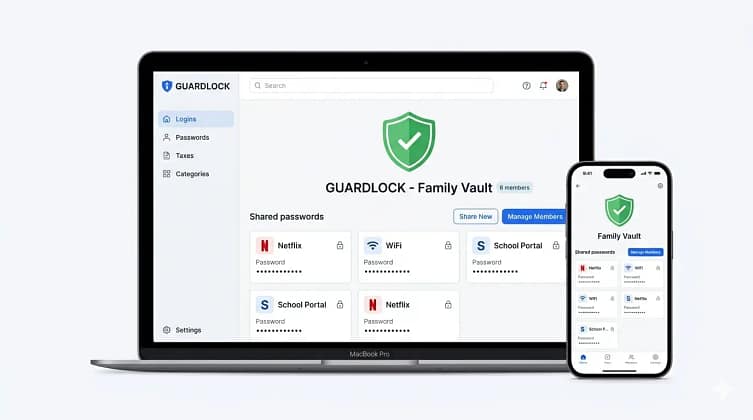
NordPass is made by the same team behind NordVPN, one of the most trusted names in consumer privacy. It’s the only password manager in this category to use XChaCha20 encryption — a newer algorithm considered more resistant to future threats than the AES-256 standard used by competitors. Named a PCMag Editors’ Choice 2026 and rated 4.7/5 on the Apple App Store (11,688+ reviews), it has earned its reputation through real user experience, not just specs.
For families, the standout features are the shared vault (perfect for household accounts), built-in breach scanner (alerts you immediately if any family member’s email appears in a data breach), and the unique email masking tool — which lets you sign up for websites using a throwaway address that forwards to your real inbox. You can read more in our NordPass Email Masking guide.
- XChaCha20 encryption (stronger standard)
- Email masking — unique to NordPass
- Breach scanner included
- Clean, beginner-friendly app
- Excellent family pricing ($2.79/mo)
- Independent audit by Cure53
- No built-in TOTP authenticator
- Free plan: only 1 active device
- Fewer power-user features than 1Password
1Password Families
Family Plan: $4.99/month · Encryption: AES-256 · Up to 5 users
1Password is the gold standard for security professionals, and its Families plan is genuinely well-designed. The Watchtower feature monitors for breaches, weak passwords, and compromised sites across all family accounts in real time. It also includes a Travel Mode — hide sensitive vaults when crossing borders. The browser extension is among the best available, and it includes a built-in TOTP authenticator if your family uses two-factor codes.
- Built-in TOTP authenticator
- Travel Mode for sensitive vaults
- Excellent Watchtower breach alerts
- Best-in-class browser extension
- $4.99/month — nearly 2× NordPass
- No free plan (14-day trial only)
- No email masking feature
Bottom line: A great product — but you’re paying a premium for features most families won’t use. If your household includes a security enthusiast, it might be worth it. For everyone else, NordPass delivers 90% of the value at half the price.
Bitwarden Free & Family
Free Plan: Unlimited · Family Plan: $3.33/month for 6 users · Encryption: AES-256
Bitwarden is the only truly open-source password manager in this roundup — meaning anyone in the world can inspect its code for security flaws. The free tier is the most generous of any option here: unlimited passwords, unlimited devices, no catch. The paid family plan adds encrypted file storage, priority support, and emergency access.
- Genuinely free (unlimited devices & passwords)
- Open-source — independently verifiable
- Extremely affordable family plan
- Can self-host for maximum privacy
- Interface less polished — steeper learning curve
- No email masking
- Customer support slower than paid options
Bottom line: The best pick for tech-savvy families who want maximum transparency and don’t mind a slightly rougher UI. If cost is the primary concern, this is your answer.
Apple Passwords (Built-In)
Price: Free · Encryption: AES-256 · Apple Ecosystem Only
Apple Passwords (formerly iCloud Keychain, now a standalone app in iOS 18 / macOS Sequoia) has improved significantly and works well if your entire family lives in the Apple ecosystem. It auto-fills on iPhones and Macs, syncs across devices, and now includes basic password health reports and a breach scanner.
- Completely free — no subscription
- Already on every iPhone and Mac
- Zero setup for Apple users
- Apple devices only — breaks the moment anyone uses Android or Windows
- No email masking, no advanced sharing controls
- No cross-platform browser extension
Bottom line: Fine for a pure Apple household. The moment your teenager uses a Windows gaming PC, Apple Passwords stops working as a complete family solution.
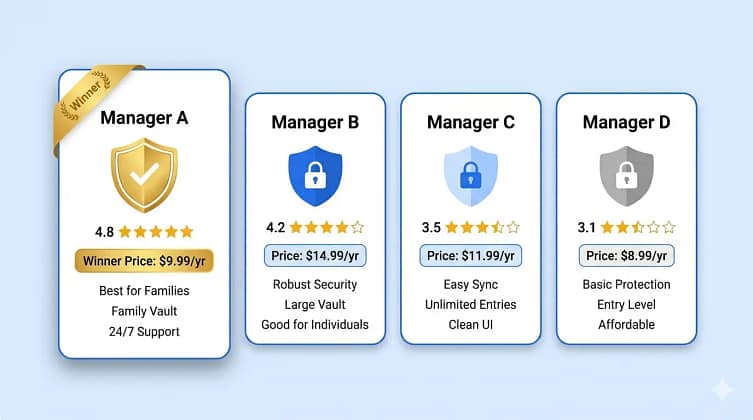
Side-by-Side Comparison
| Feature | NordPass Winner | 1Password | Bitwarden | Apple Passwords |
|---|---|---|---|---|
| Family plan | ✅ | ✅ | ✅ | ✅ (free) |
| Price/month | $2.79 | $4.99 | Free / $3.33 | Free |
| Encryption | XChaCha20 | AES-256 | AES-256 | AES-256 |
| Email masking | ✅ | ❌ | ❌ | ❌ |
| Breach scanner | ✅ | ✅ | ✅ | ✅ |
| Cross-platform | ✅ | ✅ | ✅ | Apple only |
| Zero-knowledge | ✅ | ✅ | ✅ | ✅ |
| Built-in TOTP | ❌ | ✅ | ✅ (paid) | ✅ |
| Free plan | ✅ (1 device) | ❌ | ✅ (unlimited) | ✅ |
NordPass Family Plan — Why We Recommend It
After testing all four options to find the best password manager for family households, NordPass comes out ahead not because it has the most features — but because it has the right features for parents who want security without complexity. Here’s what sets it apart.
XChaCha20: The Encryption Upgrade You Didn’t Know You Needed
📖 Jargon Box: XChaCha20 Encryption
XChaCha20 is a modern encryption algorithm — think of it as the lock on your vault. While AES-256 (used by most competitors) is still considered secure, XChaCha20 is faster on devices without dedicated hardware acceleration (like smartphones) and is considered more resilient against future computational threats. NordPass is currently the only major consumer password manager to use it as the default.
NordPass was independently audited by Cure53, a respected German cybersecurity firm that has audited many of the world’s most security-critical products. The audit confirmed the zero-knowledge architecture works as advertised: NordPass employees cannot access your vault, even if they wanted to. You can read our full technical breakdown at Is NordPass a Good Password Manager?
“NordPass is our top pick for the best password manager for family use because it delivers stronger-than-standard encryption, a shared vault that replaces the fridge sticky note, and an app clean enough that your least tech-savvy family member will use it without calling for help.”
Email Masking: The Feature Families Overlook
Every time your family signs up for a new app, a school portal, or a loyalty program, you hand over a real email address. That address ends up in marketing lists, data broker databases, and — eventually — breach databases. NordPass’s email masking creates a disposable forwarding address for each signup: the real email stays hidden, and you can delete the mask at any time if spam starts arriving. See our full explainer: NordPass Email Masking Guide.
Pricing That Actually Makes Sense
The NordPass family plan covers up to 6 users for approximately $2.79/month when billed annually. That works out to under $0.50 per person per month. The plan includes all premium features: shared vaults, email masking, breach scanner, emergency access, and priority support.
⚠️ One honest limitation to know
NordPass does not have a built-in TOTP authenticator (the 6-digit code system used for two-factor authentication). If you want a single app to manage both passwords and 2FA codes, 1Password or Bitwarden are better fits. For most families, using NordPass alongside a free app like Authy covers this gap perfectly.
Our Pick for Families: NordPass offers the best combination of security, ease of use, and family sharing features available in 2026.
Try NordPass Free →Is a Free Password Manager Enough for Families?
When choosing the best password manager for family use, the first question most parents ask is: do I really need to pay? The honest answer: it depends on how many devices and people you’re managing. If you’re a single adult on a single phone, Bitwarden Free or Apple Passwords will serve you well. But the moment you need to share passwords across multiple people — kids’ accounts, a partner’s phone, a shared laptop — free plans start showing their limits.
Here’s the question worth asking: what is your family’s data worth to you? A family plan at $33/year is the cost of protecting potentially hundreds of accounts, including banking, healthcare, and school portals.
🧭 Which option fits your situation?
- Budget is the only priority → Bitwarden Free. Unlimited devices, unlimited passwords, open-source. The UI is a bit rough, but it works.
- Apple-only household → Apple Passwords. Zero cost, zero setup, already there. Accept that you’ll need to switch if anyone ever leaves the Apple ecosystem.
- Wants the best password manager for family overall → NordPass Family at $2.79/month. Better encryption, email masking, and an app that non-technical family members will actually use without calling you for help.
How to Set Up a Family Password Manager — Step-by-Step (NordPass)
Once you’ve chosen the best password manager for family protection, setup takes under 20 minutes. Here’s exactly how to do it with NordPass — the same steps work on iOS, Android, Windows, and Mac.
- Start the free trial on the admin account.
Go to NordPass via our link, create your main account with a strong master password. Write this master password down on paper and store it somewhere safe — it’s the only key NordPass cannot recover for you. - Download the app and browser extension.
Install NordPass on your primary device (phone + computer). Install the browser extension for Chrome, Firefox, Safari, or Edge. This is what auto-fills your passwords without any extra steps. - Import your existing passwords.
NordPass imports directly from Chrome, Firefox, 1Password, LastPass, or a CSV file. This takes about 2 minutes and instantly populates your vault with every password you already have saved. - Create a Shared Vault for family accounts.
In the NordPass app, go to Shared Vaults → Create New. Name it “Family” and add the passwords everyone needs: Netflix, Amazon, Wi-Fi, school portals. This replaces every text message and sticky note your family currently uses to share passwords. - Invite your family members.
Send email invitations to your partner and kids directly from the NordPass dashboard. Each person creates their own account and gets access to the Shared Vault — their private passwords stay separate and invisible to other family members. - Run the Security Dashboard check.
Open the Security Dashboard in NordPass. It will flag any reused passwords, weak passwords, and breached credentials across all family accounts. Work through the flagged items and update passwords one by one using NordPass’s built-in generator.
💡 Pro Tip: Have each family member set NordPass as their default autofill on their phone (Settings → Passwords → AutoFill on iOS). Once autofill is active, they’ll use NordPass automatically without thinking about it — which is exactly how it should work.
🏠 Thinking about full home digital privacy? Pair your password manager with a private home server. See our NAS for families buying guide — including our top Synology and QNAP picks for 2026.
Get Your Free Family Security Checklist
Passwords are step one. Get our free 10-point checklist to fully protect your family’s digital life — delivered straight to your inbox.
🔒 No spam, ever. Unsubscribe in one click.
Frequently Asked Questions
Is NordPass good for families?
Yes — NordPass is our pick for the best password manager for family plans specifically because of its combination of simple shared vaults, strong XChaCha20 encryption, email masking, and competitive pricing at $2.79/month for up to 6 users. It was named PCMag Editors’ Choice 2026 and holds a 4.7/5 rating on the Apple App Store. The one trade-off: the free plan only allows one active device at a time, and there’s no built-in TOTP authenticator. For most families, neither limitation is a dealbreaker. See our full review: Is NordPass a Good Password Manager?
What is the best free password manager for families?
If you’re looking for the best password manager for family use without paying, Bitwarden Free is the best genuinely free option — unlimited passwords, unlimited devices, and open-source code that anyone can verify. The trade-off is a less polished interface compared to NordPass or 1Password. Apple Passwords is also free and seamless if your entire family uses Apple devices exclusively. If you mix platforms (common in most households), Bitwarden wins.
Can a family share one password manager account?
Sharing a single account is not recommended — and most password managers are designed to prevent it. The right approach is a family plan, where each person gets their own account with a private vault, plus access to a Shared Vault for household passwords. NordPass’s family plan provides this for $2.79/month total, making individual accounts the affordable and more secure choice.
Is NordPass safe?
Yes. NordPass uses XChaCha20 end-to-end encryption with a zero-knowledge architecture — meaning only you can decrypt your vault, not NordPass employees and not hackers who breach their servers. The platform was independently audited by Cure53, a leading European cybersecurity firm. The company behind NordPass (Nord Security) also maintains NordVPN, one of the most audited consumer privacy products available.
Does NordPass work on Android and Windows?
Yes — NordPass supports iOS, Android, Windows, macOS, and Linux, with browser extensions for Chrome, Firefox, Safari, Edge, Opera, and Brave. This cross-platform support is one of its key advantages over Apple Passwords, which is limited to Apple’s ecosystem. It’s one of the main reasons NordPass ranks as the best password manager for family accounts where mixed devices are the norm.
How many people can use one NordPass family plan?
The NordPass family plan covers up to 6 users under a single subscription. Each member gets their own private vault — fully encrypted and invisible to other family members — plus access to any Shared Vaults the admin creates. This makes it the best password manager for family sharing because everyone gets individual privacy while still having access to household accounts like Netflix, Wi-Fi, and school portals. At $2.79/month total, the per-person cost is under $0.50/month.
What makes NordPass different from other password managers?
The key difference is XChaCha20 encryption — a modern algorithm that NordPass uses instead of the AES-256 standard every other password manager relies on. It’s faster on smartphones and considered more resilient against future threats. Add email masking (no other major competitor offers this natively), an independent audit by Cure53, and a family plan priced at $2.79/month, and you have a strong case for why NordPass is the best password manager for family accounts in 2026.
What happens if I forget my master password?
This is critical to understand: with any zero-knowledge password manager (NordPass, 1Password, Bitwarden), no one can recover your master password for you — that’s the whole point of zero-knowledge. NordPass provides a recovery key at setup time; store it printed on paper in a safe place. If you lose both your master password and recovery key, your vault cannot be recovered. This sounds alarming, but it also means hackers are in the exact same position.
The Bottom Line
🏆 Our Verdict — Best Password Manager for Family Use in 2026
NordPass Family Plan — best security, best family features, best value in 2026.
XChaCha20 encryption · Zero-knowledge · Email masking · Breach scanner · 6 users · $2.79/month
Try NordPass Free — No Credit Card Needed →Affiliate disclosure: HomeCloudHQ earns a small commission if you sign up through our links, at no extra cost to you.