
Best Google Drive Alternative for Families in 2026: Save Money and Keep Photos Private
See which cloud storage services give your family more privacy, simpler sharing, and better long-term value than Google Drive.
Stop sharing your family photos with Google’s algorithms — here’s what US families are switching to instead.
📌 TL;DR — What You Need to Know
- pCloud is the best Google Drive alternative for US families: more storage, an optional lifetime plan, and zero-knowledge encryption Google simply doesn’t offer.
- We compared 7 services on privacy, family plan value, cross-platform support (iPhone + Android + Windows + Mac), and real 3-year cost.
- Already own a Synology NAS? Pair it with pCloud as your off-site backup layer — the best of both worlds.
- All 7 picks work on every major device so switching won’t force your family to change how they use their phones.
Have you ever paused before uploading your kids’ birthday photos to Google Drive — and wondered who else might be looking at them? You’re not being paranoid. You’re just paying attention.
In this guide, I’ll walk you through every serious Google Drive alternative worth your family’s attention in 2026 — ranked by privacy, family-sharing features, and honest long-term cost. No jargon, no hype. Just clear answers so you can make the right call today.
Whether you want a simple switch, a lifetime plan that kills the monthly fee, or a fully private setup on your own hardware — there’s a right answer for your family here. Let’s find it.
pCloud is the best overall Google Drive alternative in 2026 if you want simple apps, better privacy, and the option to stop paying monthly forever.
Affiliate link — always check the latest plan details before signing up.
Why Are US Families Leaving Google Drive in 2026?
The short answer: privacy and cost. Google Drive is tied to your Google account, and Google’s business model depends on understanding what’s in your files, photos, and documents — even when those files are “yours.”
📖 Jargon Box — End-to-end encryption (E2E): Your files are scrambled before they leave your device and can only be unscrambled on your screen. Think of it like sending a locked box — only you have the key, not the postal service, and not the cloud company. Google Drive does not offer this by default. The Electronic Frontier Foundation explains why this matters for everyday families.
Google Scans Your Files — Here’s What That Actually Means
Google uses automated systems to analyze the content of your files and photos. This helps them serve targeted ads, improve their AI models, and flag policy violations. For families with children’s photos, medical documents, or sensitive personal records, that trade-off finally feels too costly.
Google’s Terms of Service grant them a broad license to use your content to improve their services. That’s not a bug — it’s the business model. If you’re not paying for privacy, you’re not getting it.
The Real Cost of “Free” Google Storage
Google’s free tier gives you a limited amount of storage shared across Gmail, Drive, and Photos. Once you hit that cap, you’re on a monthly subscription — and fees can rise. Multiply that across a family of four, each with their own Google account, and the annual bill adds up quickly.
The real cost isn’t just financial. It’s your family’s data living on servers you don’t control, analyzed by algorithms you can’t audit, and subject to account suspensions you can’t appeal easily.
What Triggered the Switch for Most Families
In our HomeCloudHQ reader community, the most common triggers are: a Google account getting temporarily locked (taking all stored photos hostage with it), a child’s photo appearing in an unexpected ad context, or simply the moment the subscription fee no longer felt worth it.
If any of those ring a bell — you’re in exactly the right place.
What Should You Look for in a Google Drive Alternative?
Before diving into the 7 picks, here’s the checklist I use to evaluate every service for US families. Run any candidate through these six questions and the right choice becomes obvious.
- Family sharing — Can multiple people (your spouse, your kids) have their own private space under one plan?
- Zero-knowledge encryption — Can the company read your files, or are they locked to you alone?
- Free tier size — How much storage before you have to pay? Is there room to trial it properly?
- Lifetime vs. monthly pricing — Is there a one-time payment option, or are you locked into a subscription forever?
- Cross-platform support — Does it work smoothly on iPhone AND Android AND Windows AND Mac?
- NAS or local backup integration — If you own (or plan to buy) a home NAS, can this service sync with it?
📖 Jargon Box — Zero-knowledge encryption: Even the storage company can’t read your files — not the CEO, not their engineers, not a hacker who breaches their server. It’s like a safe-deposit box at the bank: even the bank can’t open it without your key. This is the gold standard for a private Google Drive alternative.
The 7 Best Google Drive Alternatives for Families in 2026 (Ranked)
Each service below has been evaluated against the six checklist criteria above. I’ve included honest pros and cons — because no service is perfect, and I’d rather help you pick the right imperfect option than pretend a perfect one exists.
#1 — pCloud: Best Overall Google Drive Alternative for US Families
pCloud is based in Switzerland and has been around since 2013 — long enough to have a solid track record, and structured under Swiss privacy law, which is stronger than US law. It works on every major platform, has a generous free tier to test drive, and offers one of the few legitimate lifetime storage plans in the market.
The app experience is polished and genuinely beginner-friendly. Uploading photos, sharing a folder with your spouse, or accessing your files from your phone all work exactly the way you’d expect — no IT degree required.
⚠️ Security Note — pCloud Crypto folder: pCloud’s standard storage is encrypted in transit and at rest, but pCloud can technically access your files without the Crypto add-on. For true zero-knowledge protection, activate the optional pCloud Crypto folder — this creates a locked space only you can open. It’s not on by default. pCloud’s official Crypto page explains exactly how the zero-knowledge layer works. If privacy is your top priority, enable Crypto. Without it, pCloud’s security is solid but not absolute.
✅ Pros
- Lifetime plan available (one payment, storage forever)
- Swiss privacy law jurisdiction
- Works on iPhone, Android, Windows, Mac, Linux
- Excellent free tier to test before buying
- Integrates with Synology NAS via Hyper Backup
- Clean, beginner-friendly app
❌ Cons
- Zero-knowledge (Crypto) is a paid add-on, not default
- Family plan less developed than Sync.com’s
- Prices change often — check current price on site
#2 — Internxt: Best for Privacy-First Families
Internxt is built from the ground up around zero-knowledge encryption — meaning they have literally no ability to read your files. The code is open-source, which means independent security researchers can verify their privacy claims. For families where privacy is the primary concern, Internxt is as close to bulletproof as a cloud service gets. Visit Internxt.com ⚠️ Affiliate link pending
The interface is modern and works well on all major platforms. It’s a younger company than pCloud, which means the ecosystem is smaller — but the privacy architecture is genuinely best-in-class.
⚠️ Security Note — Newer provider: Internxt has a shorter track record than pCloud or Proton. The technology is solid and open-source audited, but as with any newer provider, keep a local backup of your most critical files while they build more years of uptime history. Don’t put all your eggs in one basket.
✅ Pros
- Zero-knowledge encryption by default (no opt-in)
- Open-source and independently audited
- Decentralized storage architecture
- Competitive pricing across plans
- Works on all major platforms
❌ Cons
- Shorter track record than established providers
- Smaller ecosystem of third-party integrations
- Family sharing features still maturing
#3 — Sync.com: Best for Family Sharing
Sync.com is the standout pick if your primary need is seamless file sharing with your spouse and kids. Their family plans are built with multiple users in mind — each person gets private space, with shared folders that work intuitively across devices. Zero-knowledge encryption is on by default, putting Sync.com ahead of pCloud in that specific regard. Visit Sync.com ⚠️ Affiliate link pending
Based in Canada, Sync.com also benefits from Canadian privacy law. The sharing and collaboration features are the smoothest of any service on this list.
✅ Pros
- Zero-knowledge encryption on by default
- Best family plan structure of the group
- Easy shared folders and file request links
- Canadian privacy law jurisdiction
- Works on all major platforms
❌ Cons
- No lifetime plan — monthly/annual only
- Fewer integrations than Google Drive ecosystem
- Free tier more limited than pCloud’s
#4 — Proton Drive: Best Free Encrypted Option
Proton Drive comes from the same Swiss company behind ProtonMail — one of the most trusted privacy brands in the world. End-to-end encryption is on by default, the free tier is among the most generous available, and it fits naturally into the Proton ecosystem if you already use ProtonMail or ProtonVPN. See Proton Drive’s full privacy commitment.
The trade-off is that Proton Drive’s collaboration tools and family plans are less polished than Sync.com or pCloud as of 2026. It’s the best free starting point — but not the best long-term family platform on its own.
✅ Pros
- E2E encryption on by default
- Trusted brand with strong privacy track record
- Generous free tier
- Integrates with ProtonMail and ProtonVPN
- Open-source clients
❌ Cons
- Family features still catching up to competitors
- No lifetime plan
- Desktop sync app is newer and still maturing
#5 — NordLocker: Best for Locking Sensitive Files
NordLocker is made by the team behind NordVPN, so they know their security. It’s best thought of as a secure vault for your most sensitive documents — medical records, tax files, legal documents — rather than a full Google Drive alternative for everyday family use. The encryption is end-to-end by default, and the sharing features are solid. Explore NordLocker.
Use NordLocker as a complement to your main cloud service, not a complete replacement for Google Drive. Think of it as the safe in the room — not the whole room.
✅ Pros
- Excellent encryption from a proven security brand
- Great for protecting highly sensitive documents
- Works on all major platforms
- Simple drag-and-drop interface
❌ Cons
- Not designed as a full Google Drive replacement
- Fewer family collaboration features
- No lifetime plan
#6 — MEGA: Best Free Tier (Verify Current Size)
MEGA is known for offering one of the largest free tiers of any cloud storage service — though the exact size has changed over the years, so verify their current offer before committing. End-to-end encryption is included by default. MEGA is based in New Zealand and has a solid privacy posture for a free service.
The apps work, but the experience is less polished than pCloud or Sync.com. For families who need encrypted storage today at zero cost, MEGA is a strong starting point. For long-term reliability and family features, it sits lower on this list.
✅ Pros
- Among the most generous free tiers (verify current offer)
- E2E encryption by default
- Works on all major platforms
- Good for large file sharing links
❌ Cons
- Free tier has been reduced over time — check current size
- Founder’s history raises trust concerns for some users
- UI less refined than top picks
- No lifetime plan
#7 — Nextcloud on NAS: Best If You Already Own a Home NAS
Nextcloud is fundamentally different from everything else on this list — it’s software you run on your own hardware. If you own a Synology or QNAP NAS, you can install Nextcloud and get a full Google Drive alternative that you own completely: no monthly fees, no third-party company holding your data.
📖 Jargon Box — Self-hosted cloud: A cloud storage system that runs on a server you own at home — not someone else’s data center. Think of it as your own private Google Drive, physically sitting in your living room. You control everything: the storage, the access, the backups.
The trade-off is setup complexity. Nextcloud on a NAS requires more technical comfort than any other option on this list. But if you’re already a NAS owner — or planning to become one — it’s the most private and cost-effective setup in the long run.
💡 Ready to move your Google Photos off Google’s servers?
Follow our complete weekend guide: how to migrate Google Photos to your home NAS — step by step.
Not sure which NAS to buy? Read our complete NAS for families buying guide.
✅ Pros
- 100% private — no third-party holds your data
- No monthly fees after hardware cost
- Full-featured: docs, photos, calendar, contacts
- Runs on Synology, QNAP, or any Linux server
❌ Cons
- Requires a NAS or home server (upfront hardware cost)
- More complex to set up than cloud services
- You are responsible for backups and updates
Is There a Google Drive Alternative With No Monthly Fees?
Yes. pCloud offers a lifetime storage plan — a single one-time payment that gives you cloud storage with no recurring monthly fee. It’s one of the few legitimate lifetime cloud storage options available in 2026 and is particularly well-suited for US families who want to stop paying subscription fees. The exact price changes regularly, so always check pCloud’s current lifetime offer directly on their website. Most families who switch from a monthly plan find that the lifetime plan pays for itself within a few years of use.
How the pCloud Lifetime Plan Works
Instead of paying month after month, you pay once and your storage is yours for as long as pCloud operates. That’s the key caveat with any lifetime plan: you’re betting on the company’s longevity. pCloud has operated since 2013, which significantly reduces that risk. Always check current pricing on pCloud’s site — prices change often and we don’t publish specific figures here to avoid misleading you.
What About Lifetime Plans From Other Services?
Of the 7 services on this list, pCloud is the most established provider with a widely available lifetime plan. Internxt has offered lifetime plans in the past — check their current pricing page. MEGA occasionally offers one-time purchase options. Sync.com and Proton Drive operate on subscription models only. Nextcloud on a home NAS is the ultimate “no monthly fee” setup, with only an upfront hardware investment.
pCloud Lifetime Plan — Pay once, keep your storage forever. No subscription. No renewal anxiety.
Prices change often — check current price before buying.
Google Drive vs pCloud vs Internxt vs Sync.com: Which Should Families Choose?
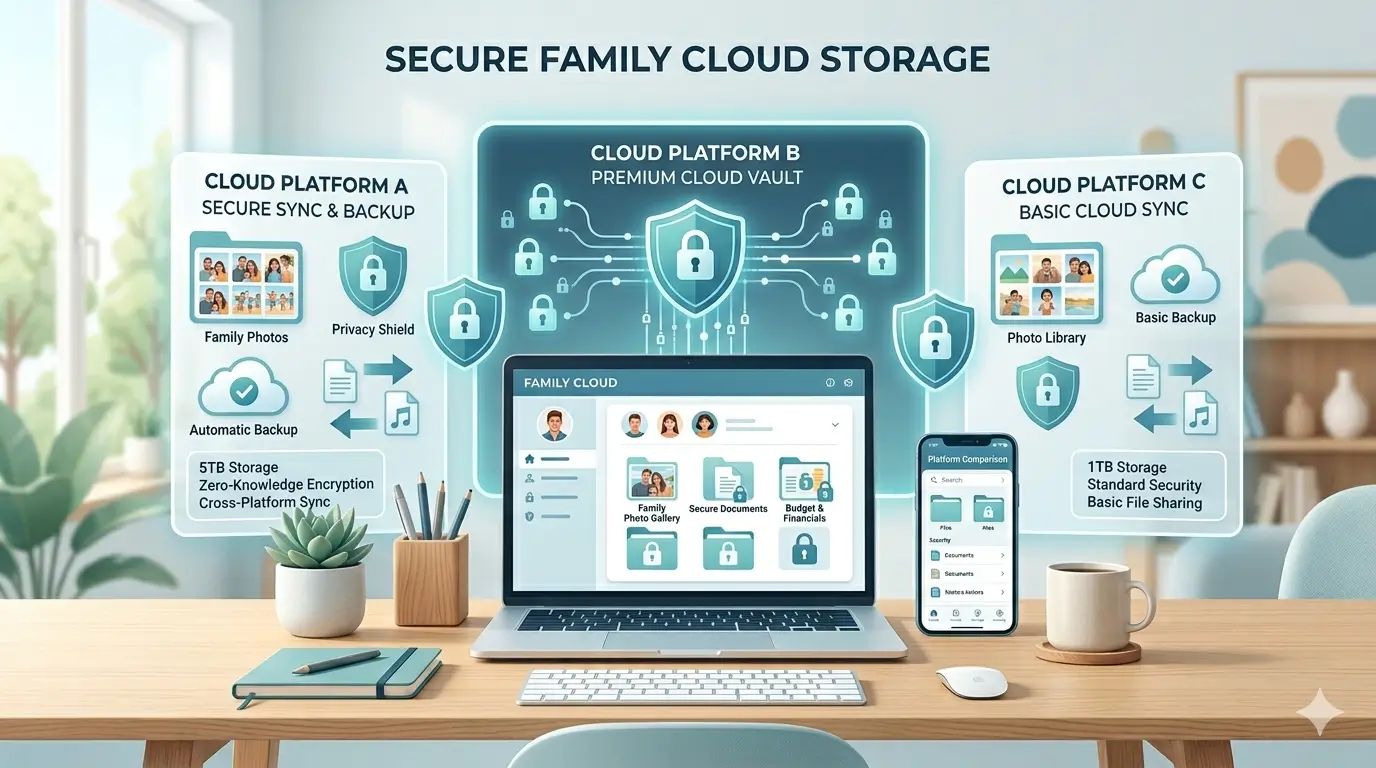
Here’s the direct Google Drive alternative comparison you need — including Google Drive itself so you can see exactly what you’re trading away (and gaining) by switching your family’s storage.
| Service | Free Storage | Family Plan | Encryption | Lifetime Deal | NAS Sync | Best For |
|---|---|---|---|---|---|---|
| Google Drive | Limited (shared) | Google One Family | At rest only (Google can read) | ❌ No | Limited | Convenience (not privacy) |
| pCloud ⭐ | Generous | Available | E2E optional (Crypto add-on) | ✅ Yes | ✅ Hyper Backup | Best overall for families |
| Internxt | Available | Maturing | ✅ E2E by default | Check site | Limited | Privacy-first families |
| Sync.com | Limited | ✅ Best on list | ✅ E2E by default | ❌ No | Limited | Families sharing files daily |
| Proton Drive | ✅ Generous | Maturing | ✅ E2E by default | ❌ No | Limited | Existing Proton users |
| NordLocker | Available | Limited | ✅ E2E by default | ❌ No | Limited | Sensitive documents vault |
| MEGA | ✅ Among largest (verify) | Limited | ✅ E2E by default | Check site | Limited | Budget-conscious users |
| Nextcloud / NAS | ✅ Unlimited (your hardware) | ✅ Unlimited users | ✅ Full control | ✅ No fees after hardware | ✅ Native | NAS owners wanting full control |
For most US families comparing Google Drive alternatives in 2026, pCloud is the best starting point: it offers a free tier to test, an optional lifetime plan to avoid monthly fees, and strong privacy under Swiss law. Families who need daily file sharing with kids and a spouse should look at Sync.com instead. Privacy-first families who want zero-knowledge encryption by default — with no opt-in required — should consider Internxt or Proton Drive. All four work on iPhone, Android, Windows, and Mac without any device restrictions.
🧭 Decision Path — Which One Is Right for You?
- You want the simplest setup with a trusted name → pCloud
- Privacy is your #1 concern, zero-knowledge on by default → Internxt or Proton Drive
- You share files with your spouse and kids every day → Sync.com
- You want to stop paying monthly fees forever → pCloud Lifetime Plan
- You already have a Synology NAS → pCloud + Hyper Backup, or Nextcloud for full self-hosting
- Budget is zero right now → Start with Proton Drive or MEGA free tier
Already Have a Synology NAS? Here’s How a Google Drive Alternative Fits In
A NAS (Network Attached Storage — a small box you plug into your home router that stores files privately for your whole family) and a cloud service like pCloud aren’t competitors. They’re actually the perfect team. Together, they give you what security professionals call a 3-2-1 backup strategy — the gold standard for protecting your family’s irreplaceable files.
📖 Jargon Box — The 3-2-1 Backup Rule: Keep 3 copies of your data, on 2 different types of storage, with 1 copy stored off-site. Think of it like keeping a house key at home, one at work, and one with a trusted friend. If your NAS fails or your house floods — your files still survive in the cloud.
Synology’s Hyper Backup app connects directly to pCloud, letting you automatically back up your NAS contents to cloud storage. Set it up once and it runs silently in the background — your NAS handles primary storage, and pCloud is your off-site insurance policy.
💡 Want to protect your family photos with both NAS and cloud encryption?
Read our complete privacy-first photo backup guide — NAS encryption + cloud layer explained.
A Synology NAS and a Google Drive alternative like pCloud work best together, not separately. Your NAS stores files locally with fast access across all home devices. pCloud acts as your off-site backup layer — so if your NAS fails, your family photos survive in the cloud. This setup follows the 3-2-1 backup rule: three copies of your data, two types of storage, one copy off-site. Synology’s built-in Hyper Backup app makes connecting the two automatic once configured.
Synology DS224+ — The most beginner-friendly NAS for US families. Pairs perfectly with pCloud for a complete 3-2-1 backup setup.
Affiliate link — check current price before purchasing.
FAQ — Your Real Questions About Google Drive Alternatives
Yes — pCloud is our top-rated Google Drive alternative for US families in 2026 and is safe for family photos. Standard storage is encrypted in transit and at rest. For maximum protection, activate the optional pCloud Crypto add-on, which adds zero-knowledge encryption — meaning even pCloud’s team cannot access your photos. Without Crypto, pCloud’s security is solid but not absolute.
Proton Drive and pCloud both offer generous free tiers with real privacy protections. MEGA is known for a large free storage allowance — verify the current size on their website as it has changed over time. For a free option with end-to-end encryption on by default, Proton Drive is the most trustworthy starting point for families in 2026.
Yes, all 7 services on this list support file sharing with family members. Sync.com has the most developed family plan structure — each member gets private space with shared folders that work across devices. pCloud and Proton Drive also support multi-user setups. Check each service’s current plans page for exact user limits and pricing.
Each service handles this differently. Most provide a grace period (typically 30–90 days) to download your files before restricting access. pCloud’s lifetime plan eliminates this concern entirely since there’s no ongoing subscription. Always read the specific service’s Terms of Service to understand the cancellation policy before uploading irreplaceable family files.
Yes. Synology’s built-in Hyper Backup app supports pCloud as a backup destination. You can configure automatic backups from your NAS to pCloud so your local files are always mirrored to the cloud. This delivers a 3-2-1 backup setup without ongoing manual effort — your NAS handles primary storage and pCloud serves as your off-site copy.
Internxt’s technology is considered safe — their zero-knowledge encryption is on by default and their code is open-source, verified by independent security researchers. The main caveat is that Internxt is a newer company with a shorter operational track record than pCloud or Proton. As a precaution, keep a local copy of your most critical files until any newer provider has accumulated more years of uptime history.
Zero-knowledge encryption means the cloud storage company has no ability to read your files — not the CEO, not their engineers, not a hacker who breaks into their servers. Your files are encrypted with a key only you hold, before they ever reach the company’s servers. It’s like a safe-deposit box at the bank: the bank holds the box, but only you can open it. Services with zero-knowledge on by default include Internxt, Sync.com, and Proton Drive.
Sync.com offers the best-designed family plan of the services reviewed here. Each family member gets private storage plus shared folder access, and the sharing tools work intuitively across iPhone, Android, Windows, and Mac. pCloud also offers family-oriented plans. Check each provider’s plans page directly for the most current pricing and user limits.
Yes — Proton Drive is one of the most credibly private cloud storage services available. End-to-end encryption is on by default, the code is open-source, and the company operates under Swiss privacy law. Proton has been independently audited and has a long track record through ProtonMail. It’s a highly trustworthy choice for privacy-conscious families.
Yes. pCloud’s lifetime plan is the most accessible option: pay once, never pay again. Nextcloud on a home NAS also eliminates monthly fees entirely — you only pay for the hardware. MEGA and Internxt have offered lifetime options at various points, so check their current pricing. Free tiers from Proton Drive, MEGA, and pCloud are also available if you’re not ready to pay yet.
All 7 services on this list — pCloud, Internxt, Sync.com, Proton Drive, NordLocker, MEGA, and Nextcloud — offer native apps for both iPhone (iOS) and Android. They also support Windows and Mac. Cross-platform compatibility was a required criterion for inclusion on this list, so your family won’t need to switch device brands to make the transition work.
A NAS and a Google Drive alternative like pCloud complement each other perfectly — they’re not competitors. Your NAS gives you fast, private local storage with no monthly fees after the hardware purchase. A cloud service gives you off-site backup so files survive a house fire, theft, or hardware failure. The ideal setup for most families: NAS as primary storage + pCloud as off-site backup. That’s the 3-2-1 backup rule in practice.
Get the Family Cloud Storage Checklist
Switching away from Google Drive? Get the exact checklist we use to help families move their photos, documents, and backups without losing files or creating a mess.
- See the 7-step migration path before you move a single file.
- Learn what to back up first so family photos stay protected.
- Get beginner-safe NAS buying guidance for your next setup.
Free guide. No spam. Built for beginners who want a safer Google Drive alternative.
What Should You Do Today? Your Google Drive Alternative Action Plan
🏁 My Recommendation — 4 Family Scenarios
Start with pCloud’s free tier today. Move one folder of photos across and see how it feels. If you like it, explore the lifetime plan — one payment, no monthly fee ever again. Add the Crypto folder for full zero-knowledge protection.
Go with Internxt or Proton Drive — both offer zero-knowledge encryption on by default, no opt-in required. If you already use ProtonMail, Proton Drive is the natural choice for a unified privacy stack.
Sync.com has the best-designed family plan of the group. Set up shared folders for homework, household docs, and family photos — each person keeps their private space, and collaboration works across every device.
Pair your NAS with pCloud via Hyper Backup for a complete 3-2-1 backup setup. Or go all the way with Nextcloud for full self-hosting and zero ongoing fees. Either way, your family’s data will never live on Google’s servers again. The Synology DS224+ is our recommended starting point.
Whichever path you choose, the most important step is the first one: pick a service, sign up for the free tier, and move just one folder of family photos this week. You don’t need to migrate everything overnight. You just need to start.
So — what’s the one folder of files you’d be most upset to lose if Google locked your account tomorrow? That’s where to start. Drop a comment below or reach out directly if you need help picking the right setup for your family.
⚠️ Affiliate Disclosure: Some links on this page are affiliate links. If you make a purchase, HomeCloudHQ may earn a small commission at no extra cost to you. We only recommend services evaluated against our editorial criteria. Prices and plans change often — always verify current pricing directly on the provider’s website before purchasing. Links marked “Affiliate link pending” are editorial reference links only and currently earn no commission.